Hi
I managed to solve my problem by following this Youtube video
https://www.youtube.com/watch?v=nVvlEHKr_0o.
The solution involved : 1) Creating a new dimension with the necessary columns I needed in the target graph and added the “TOTAL” value - UNION used. 2) Readjusted my base measure to calculate accordingly taking into consideration the TOTAL value. 3) Used ranking to order the graph so the Total value shows always at the end 4) Followed this Youtube video https://www.youtube.com/watch?v=zHzSBNES6jE&t=265s for the color coding of the Total value (if above or below the Target)
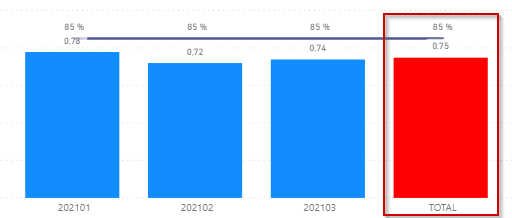
Hope this information helps someone with a similar problem in the future
Cheers
Fiona