Show only current year in column chart

Hi Community, I hope you are all doing great,
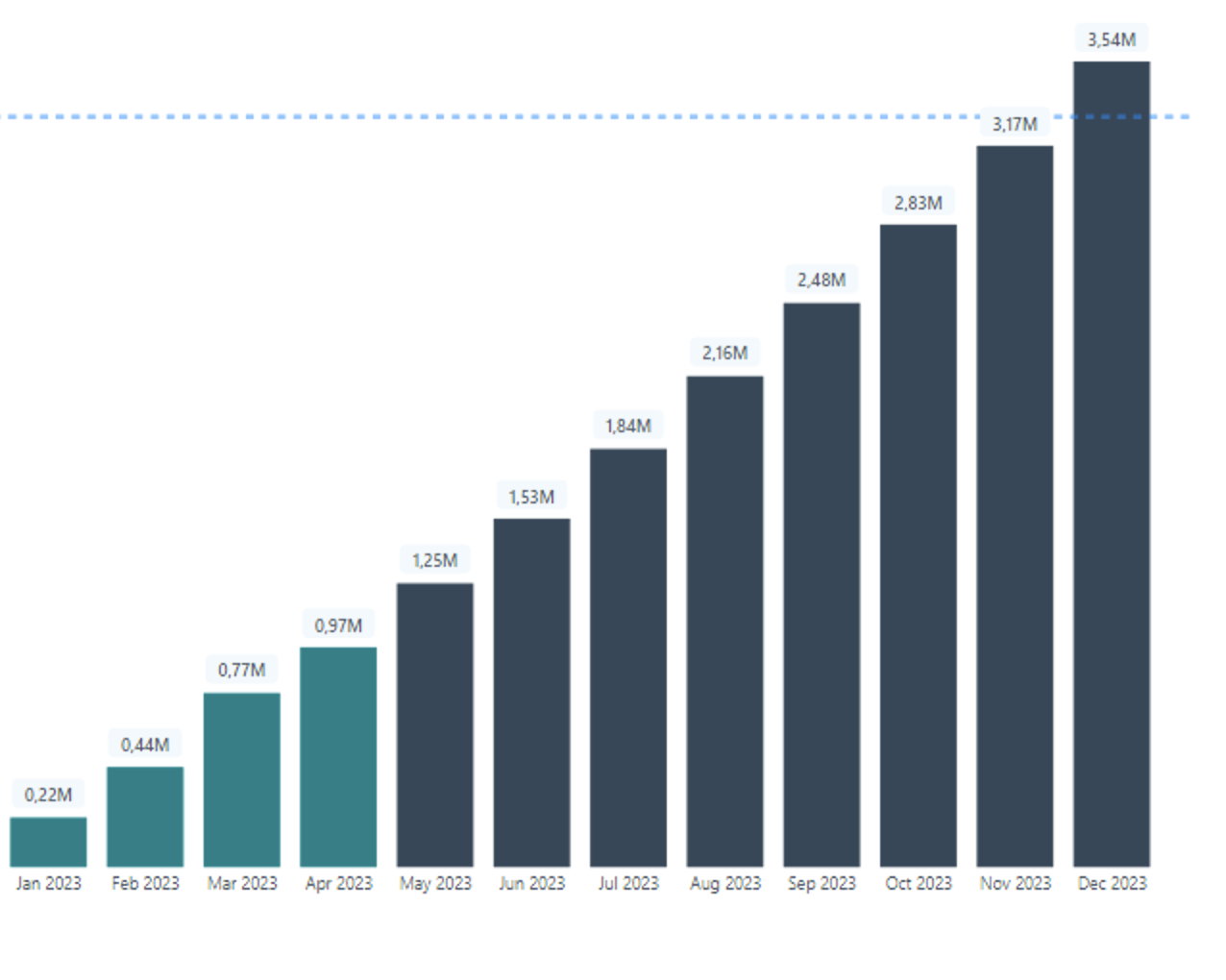
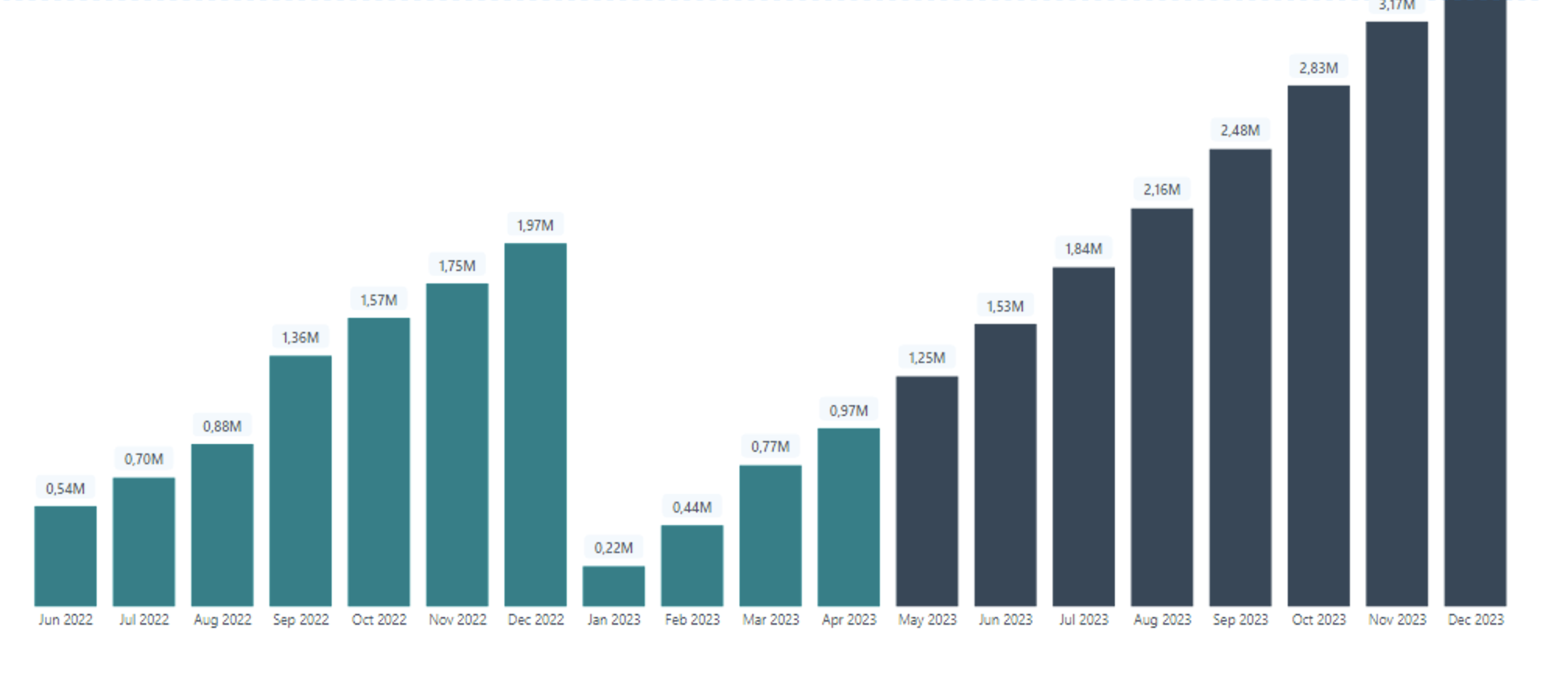
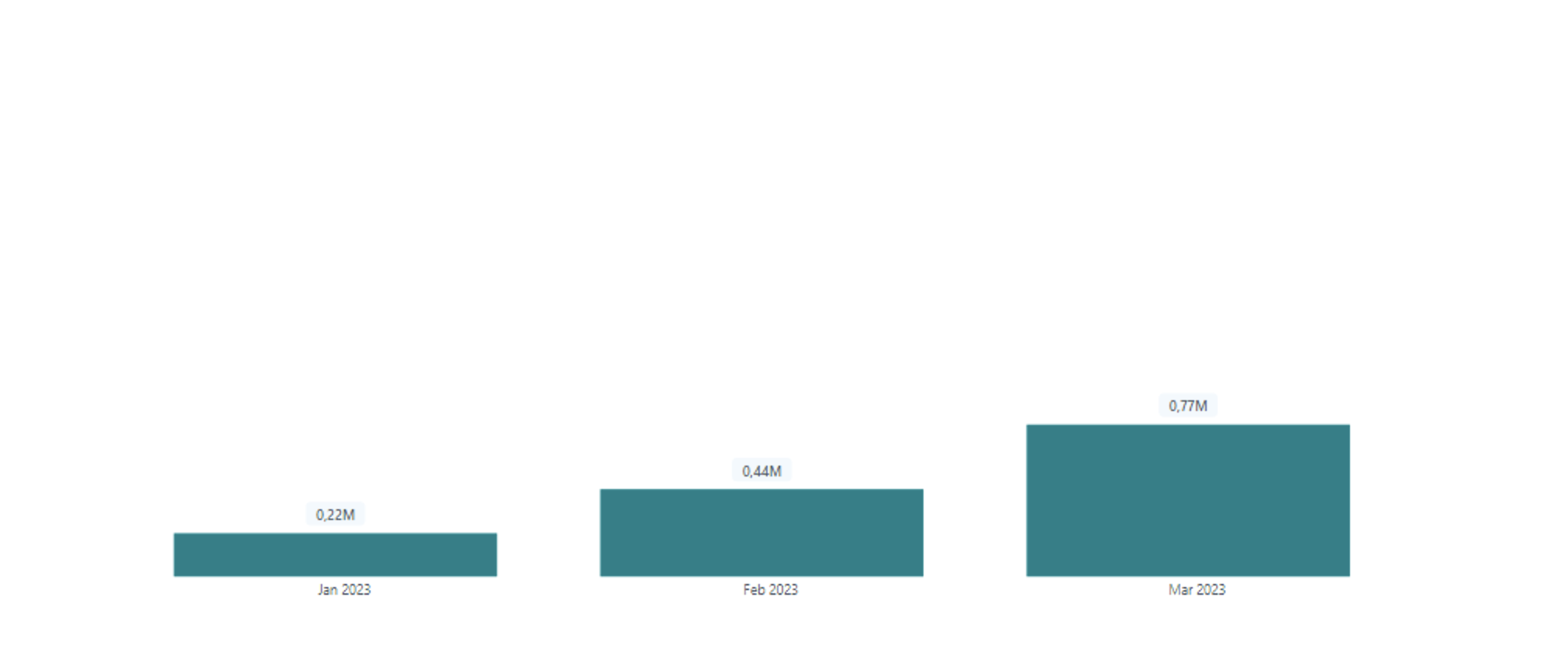
I am working on a report where I have to show actuals and target in one chart. I successfully did this but it shows for monthyear in the dataset in the chart like in fig 1. when I put a filter to show the actual and target for the whole of the current year, it only shows from jan-mar like in fig 2. what I would like is something like in fig 3. can you help please. below is the dax code I used;

Actual and Projection =
VAR LastCostDay =
CALCULATE(
MAX(‘Usage Details’[Date]),
ALL()
)
VAR Actualconsumption = [New consumption YTD]

VAR Result =
IF(
MAX(DIM_Date[Date]) > LastCostDay,
[New Projections YTD],
Actualconsumption
)

RETURN
Result

Thanks in advance for your help


@otemitopealice Is it possible for you to share the pbix file?

@MohammedHuzefaBagwan thanks for your response. here is a link to the copy of my pbix file. I finally got just 2023 to show but instead of projections ytd, it is now showing just till April.

Thanks for your help

Bumping this post for more visibility from our experts and users.

Solved. Thank you

Hi @otemitopealice,

I’m glad to hear that your inquiry has been solved. If it’s not too much trouble, would you mind sharing the solution with the rest of the community? Doing so could help other members who may be experiencing similar issues.

Additionally, please don’t forget to mark your response as the solution so that we can close this thread.

Thank you for your contribution to the community.