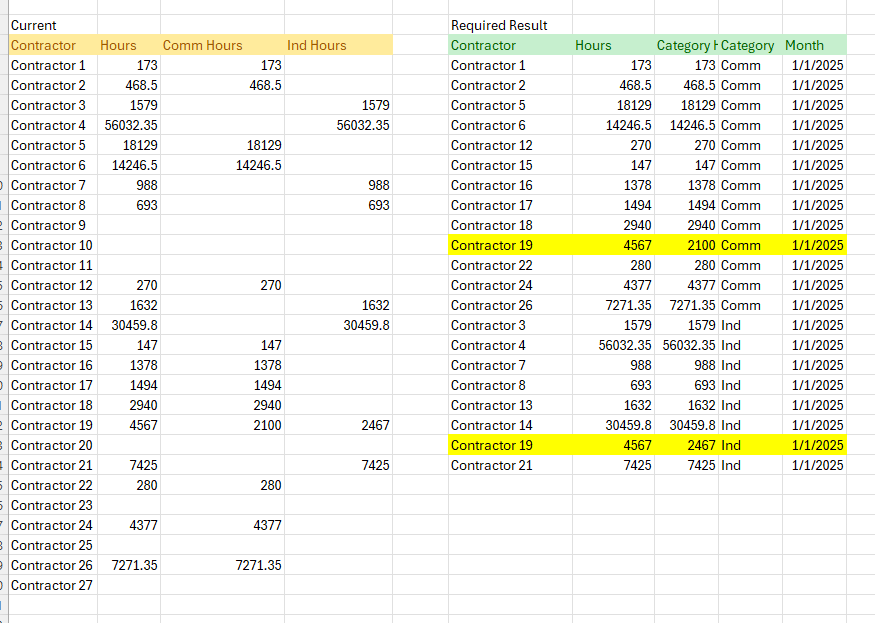
Hello EDNA - I’ve worked with this file for a few days. unable to get this right. uploading file and pic of desired results.
each sheet represent one month Jan - Jul 2025.
each contractor has a total number of hours . these hours are split between at times between Comm and Ind.
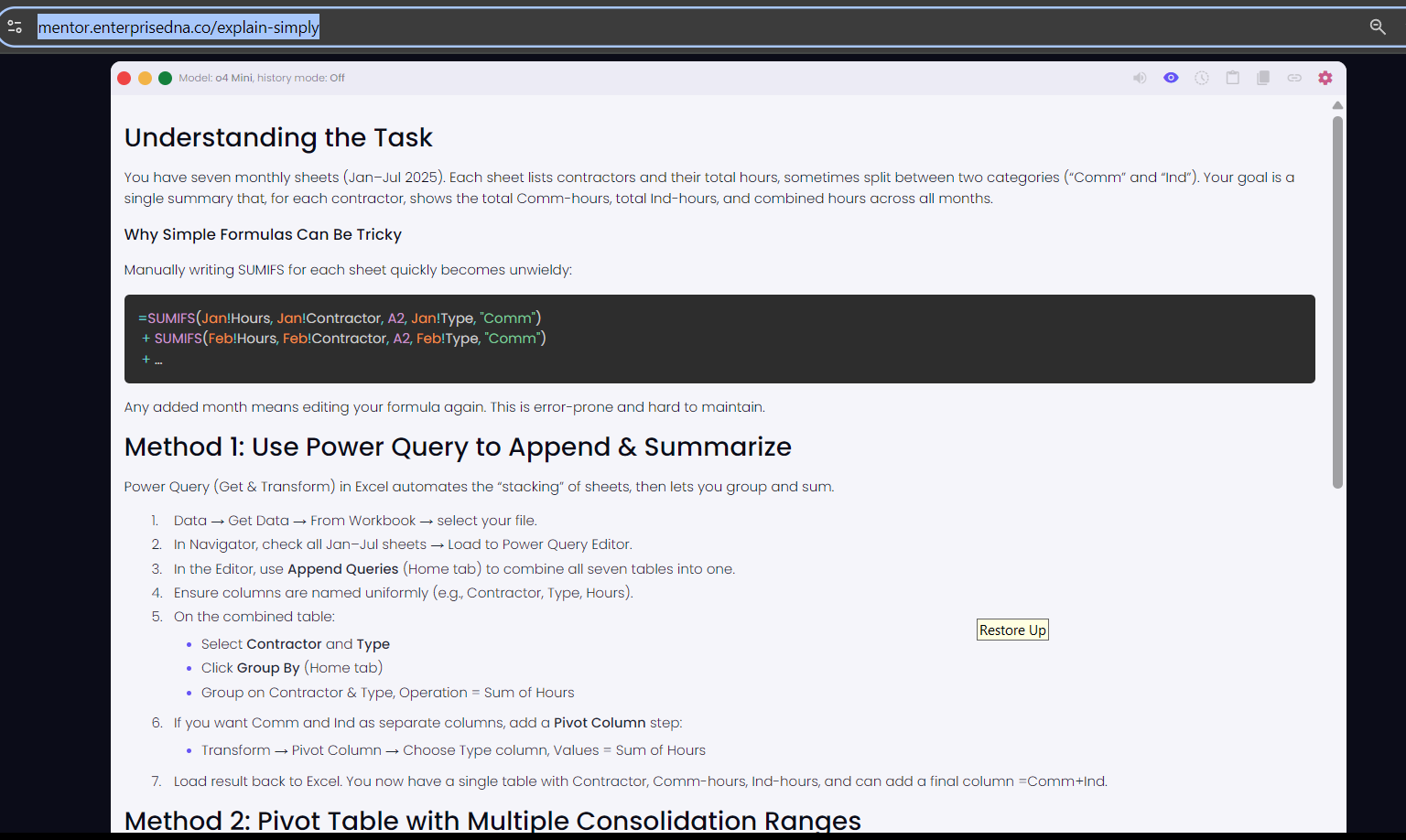
While we wait for other members to chime in, we’ve taken the liberty of running your scenario through the “Explain Simply” tool, one of the powerful micro-AI features inside Data Mentor. You can try it directly here: Explain Simply
Here’s a quick breakdown of the suggested solution:
Hi @Frankee - Please check solution in attached file. I am using a function “fnloadExcel” to combine and load data for all sheets in “Final” query. To check actual steps, can refer to “Sample Query”.
@ankit - appreciate you taking a look at it. Looks to be very close. Reviewing the file you shared, I found that we’re currently missing the rows where we have hours and for both “Comm” and “Ind” for the same contractor. For example, see Jan 2025, Contractor 19 has hours in both Categories….SOOOO CLOSE.