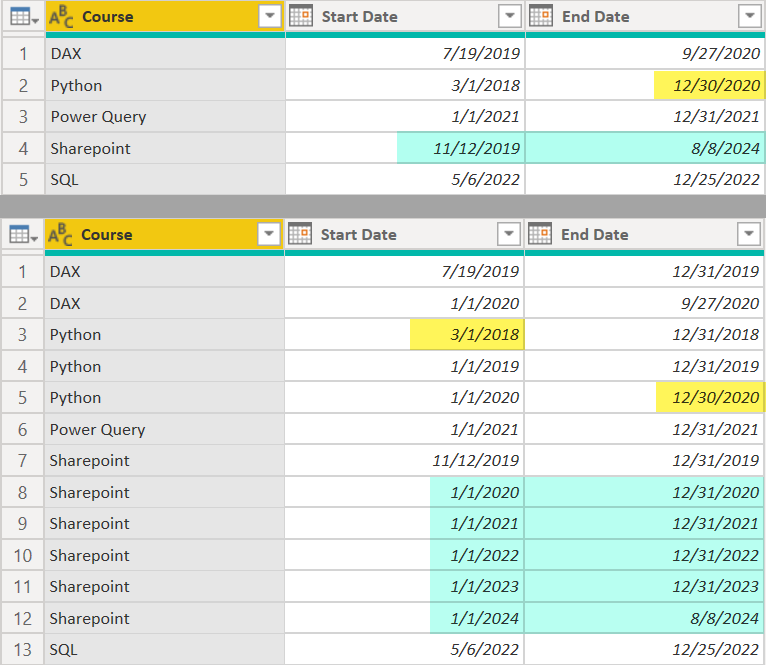
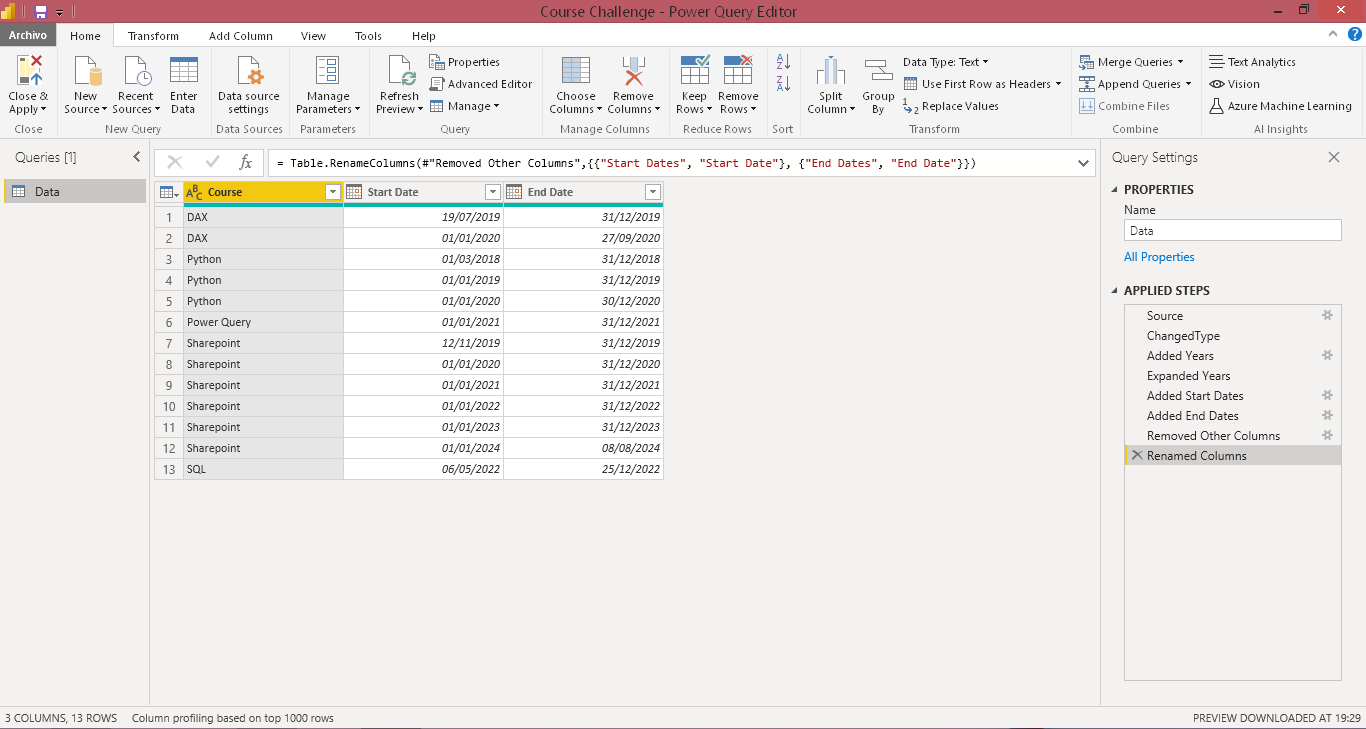
Hi @AntrikshSharma,
Very good initiative to practice and improve our Power Query skills.
let
 Source = Table.FromRows(
   Json.Document(
     Binary.Decompress(
       Binary.FromText(
         "i45WcnGMUNJRMtc3tNQ3MjC0BLKBDHMg28hAKVYnWimgsiQjPw8obKxvCFJhAWQaGukbGyApyS9PLVIILE0tqgRJgtUZGULVQTkgdcEZiUWpBfmZeSUgOaA6I5iVFvoWIGUmEGWBPkAhU30zkJARxBgjUwgnNhYA",
         BinaryEncoding.Base64
       ),
       Compression.Deflate
     )
   ),
   let
     _t = ((type nullable text) meta [Serialized.Text = true])
   in
     type table [Course = _t, #"Start Date" = _t, #"End Date" = _t]
 ),
 ChangedType = Table.TransformColumnTypes(
   Source,
   {{"Course", type text}, {"Start Date", type date}, {"End Date", type date}}
 ),
    #"Added Years" = Table.AddColumn(ChangedType, "Years", each {Date.Year([Start Date]) .. Date.Year([End Date])}),
    #"Expanded Years" = Table.ExpandListColumn(#"Added Years", "Years"),
    #"Added Start Dates" = Table.AddColumn(#"Expanded Years", "Start Dates", each if Date.Year([Start Date]) = [Years] then [Start Date] else if Date.Year([Start Date]) < [Years] then Date.StartOfYear(#date([Years], 1, 1 ) ) else null, type date),
    #"Added End Dates" = Table.AddColumn(#"Added Start Dates", "End Dates", each if Date.Year([End Date]) = [Years] then [End Date] else if Date.Year([End Date]) > [Years] then Date.EndOfYear(#date([Years], 1, 1 ) ) else null, type date),
    #"Removed Other Columns" = Table.SelectColumns(#"Added End Dates",{"Course", "Start Dates", "End Dates"}),
    #"Renamed Columns" = Table.RenameColumns(#"Removed Other Columns",{{"Start Dates", "Start Date"}, {"End Dates", "End Date"}})
in
    #"Renamed Columns"
Regards,
Course Challenge_JAFP.pbix (74.0 KB)