Hi @daniel.new,
I know this is a bit old, but I just hit a similar error in my own work and found this post searching online. I’m using Power BI Report Server, and I do have RLS, but it’s not RLS causing the issue.
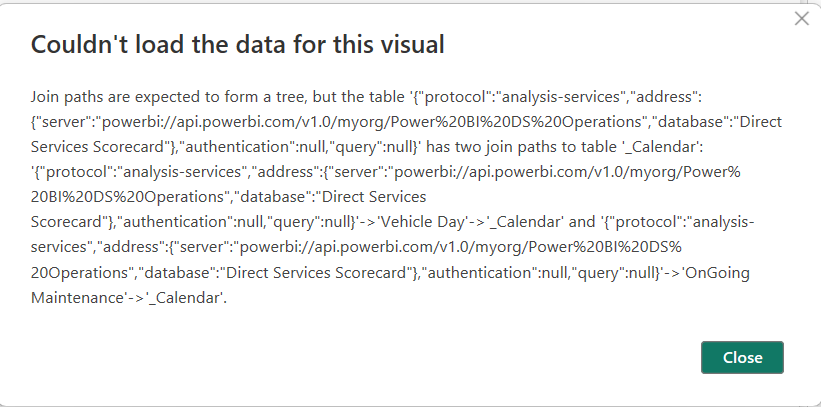
The somewhat cryptic error message tells you the core of what the problem is. The table “_Calendar” can be accessed via active relationship from both “Vehicle Day” and “OnGoing Maintenance”. What it doesn’t make clear is that there is also one or more other relationships that are creating an ambiguous path under specific circumstances.
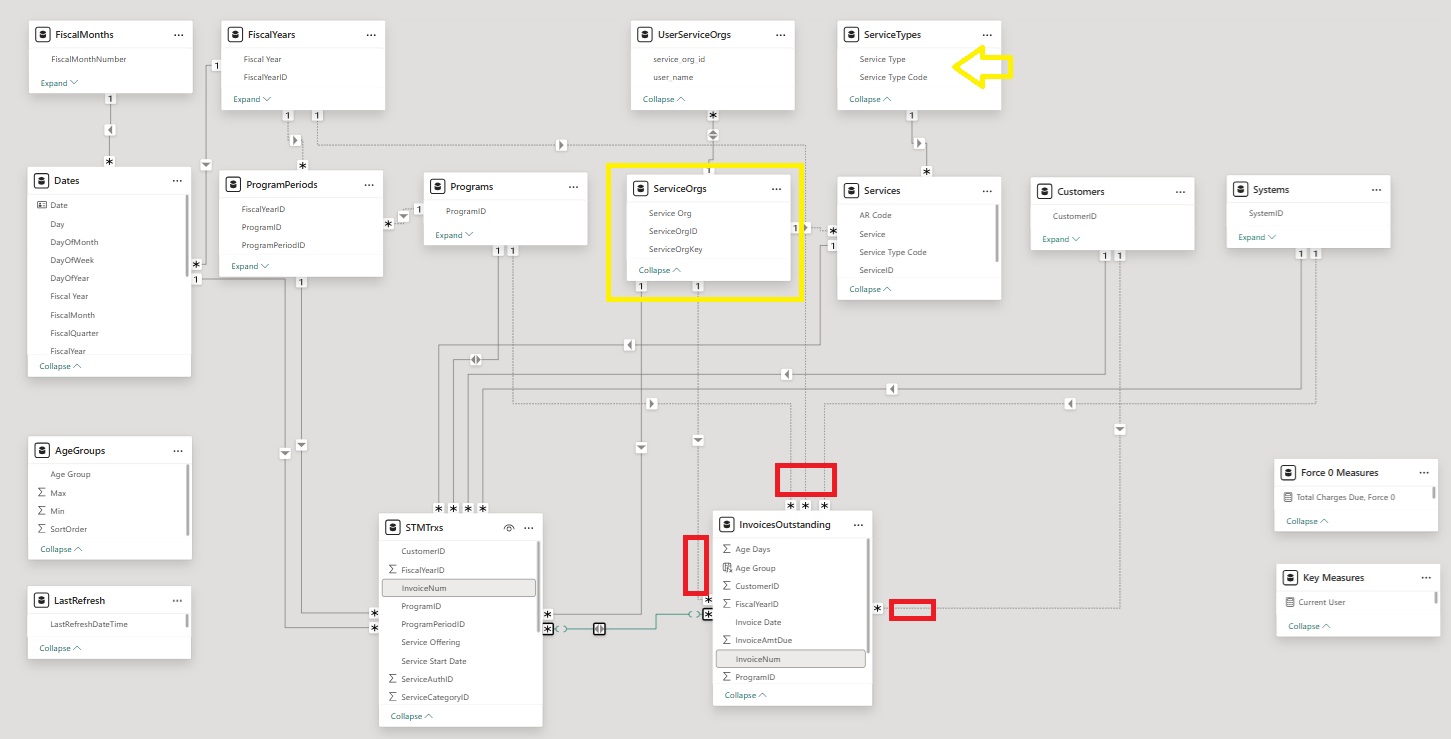
My issue involved having 2 fact tables, each connected to multiple dimensions, one of which had a bi-directional relationship which was allowing 2 possible pathways to one of the fact tables when filtering on a specific dimension. A screenshot is included below. The offending table for me was ServiceOrgs, and the filter dimension was ServiceTypes (both indicated in yellow).
It’s not easy to tell, but you can’t get from ServiceTypes to Services to fact table 2 (InvoicesOutstanding), so the actual filter path went from ServiceTypes to Services to fact table 1 (STMTrxs) then up to Programs via bi-directional relationship and then back down to fact table 2 (InvoicesOutstanding). And yeah, I had to stare at it for a while :P.
In my case, things worked fine on my desktop and then bombed on the server, which was because RLS was affecting how the filters were applied on the server. But it wasn’t RLS causing the issue, it was the multiple pathways created by the bi-directional relationship. RLS is applied to ServiceOrgs, which has a relationship to both fact tables, so when I was trying to filter on ServiceTypes, RLS was simultaneously filtering on ServiceOrgs and Power BI couldn’t figure out which path to take to filter InvoicesOutstanding.
The trick is to follow the directional relationship arrows in your data model to see if there are multiple ways to get to a particular table. Without seeing your actual data model, I can only guess that “Vehicle Day” and “OnGoing Maintenance” are linked directly or through one or more other tables, thereby creating multiple ways to travel between them and “_Calendar”.
Dealing with date table relationships like this is common. Sometimes you need an inactive relationship and then use something like USERELATIONSHIP(), and sometimes you actually need 2 dates tables. You could also have a bi-directional relationship that isn’t actually necessary, although I know from my own experience that certain specific situations require them (RLS being one).
For my situation, I was actually able to directly link the two fact tables by one field (an invoice #, creating a many to many relationship between transaction-level details and outstanding invoices - relationship arrow highlighted) and then inactivate all dimensions on the second fact table (red circled items). I left the existing bi-directional relationship in place because I needed it for something years ago when I built the report. And boom, it worked on my desktop and the server, for all filter scenarios I could think of.
I hope this helps you and anyone hitting this error. It wasn’t as easy to fix as the regular warning about ambiguous paths, and I know any info is better than no info.
John