Hi all,
What is a more efficient way to write this filter DAX? If this is the most efficient way, then YaY! but I believe there might be a more simpler way.
Total Marketing Contacts =
Calculate(
COUNTA(Prospects[Contact ID]),
FILTER(Prospects,
Prospects[Marketing Contact Status]=“true” &&
Prospects[Domain]<>“ppd.com” &&
Prospects[Domain]<>“hubspot.com” &&
Prospects[Domain]<>“aes.com” &&
Prospects[Domain]<>“evidera.com” &&
Prospects[Domain]<>“kettlercuisine.com”
))
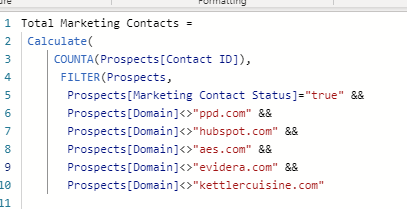
The above formula is incorrect. I meant this formula.
= each if Text.Contains([Domain],“ppd.com”) then “Do Not Use”
else if Text.Contains([Domain],“hubspot.com”) then “Do Not Use”
else if Text.Contains([Domain],“evidera.com”) then “Do Not Use” else if Text.Contains([Domain],“aes.com”) then “Do Not Use” else if Text.Contains([Domain],“kettlercuisine.com”) then “Do Not Use” else[Domain])
You could use here the SWITCH statement.
Hope this is helpful.
Can I use a Switch statement in M or should I use list.contains?
