Hi Guys,
sorry for digging up the old posts, but I actually have a solution for this, so maybe I can help out.
Allso I diddn’t search the entire forum to see whether this question was posted again on a later date.
but here goes:
On the pivottable (you got from Analyse in Ecxel)
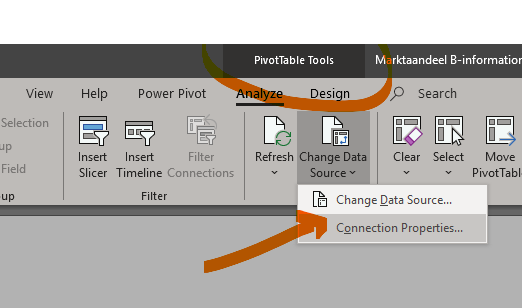
go to the Pivottable tools - Change Data Source - Connection Properties
on the Usage tab, adjust the OLAP drill Through Max number of records to retrieve

hope this helps…