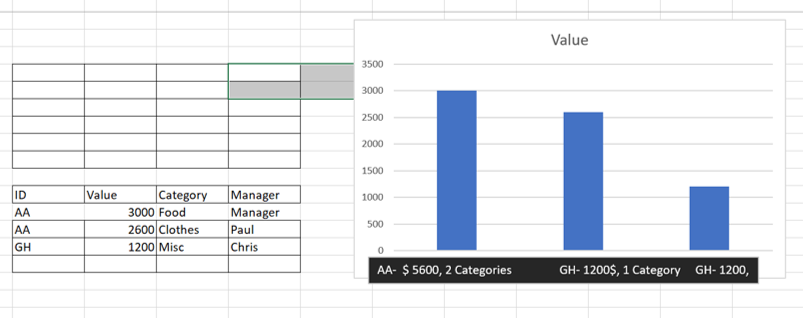
I have aa request to customise the labels of a data bar chart like in the attached picture.
My users would like to see the ID Name with 2 others elements: the ‘‘total value’’ for this ID and the count of ‘‘category’’.
I’ve tried to build a measure based on SELECTEDVALUE bus was not able to insert it on the visual for my X-Axis.
Any way or DAX function that could help me with that request ?
Thank you vey much,
I noticed you didn’t provide a PBIX file. Providing one will help users and experts find a solution to your inquiry faster and better.
A perfect initial question includes all of the following:
A clear explanation of the problem you are experiencing
A mockup of the results you want to achieve
Your current work-in-progress PBIX file
Your underlying data file (to allow us to go into Power Query if necessary to transform your data and/or data model – often DAX questions really end up being data modeling solutions)
You are right a pbix would be so much better.
I’ve attached one with the targeted solution.
So far I have found a syntax within a measure named ‘‘X-axis target’’ displaying the information as my users would like to. The result appears in the table on the right. It shows the [ID] followed by the count of [category] and the sum of [value].
So the goal would be to have that information on the axis of the bar chart. In other words for example, instead of having ‘‘WW’’ on the axis of the chart, we would like to have ‘‘WW ; n=1 ;Value=5000’’.
I have only explore the possibility of doing it via a DAX measure and just found out about Deneb which I havent used yet but will have a look. Any other way or possibility would be highly appreciated.